Team
Who can do what
The difference between a team admin and a member.
Members can do everything with QR codes. Team admins can also manage the team itself.
Roles
| Member | Team admin | |
|---|---|---|
| Create, edit, pause and download codes | ✓ | ✓ |
| Manage folders | ✓ | ✓ |
| See analytics and export scans | ✓ | ✓ |
| Invite and remove people, change roles | ✓ | |
| Rename the team, set its timezone | ✓ | |
| Set the Default QR design | ✓ | |
| Delete the team | ✓ |
Only team admins see Team settings in the sidebar.
Change someone's role
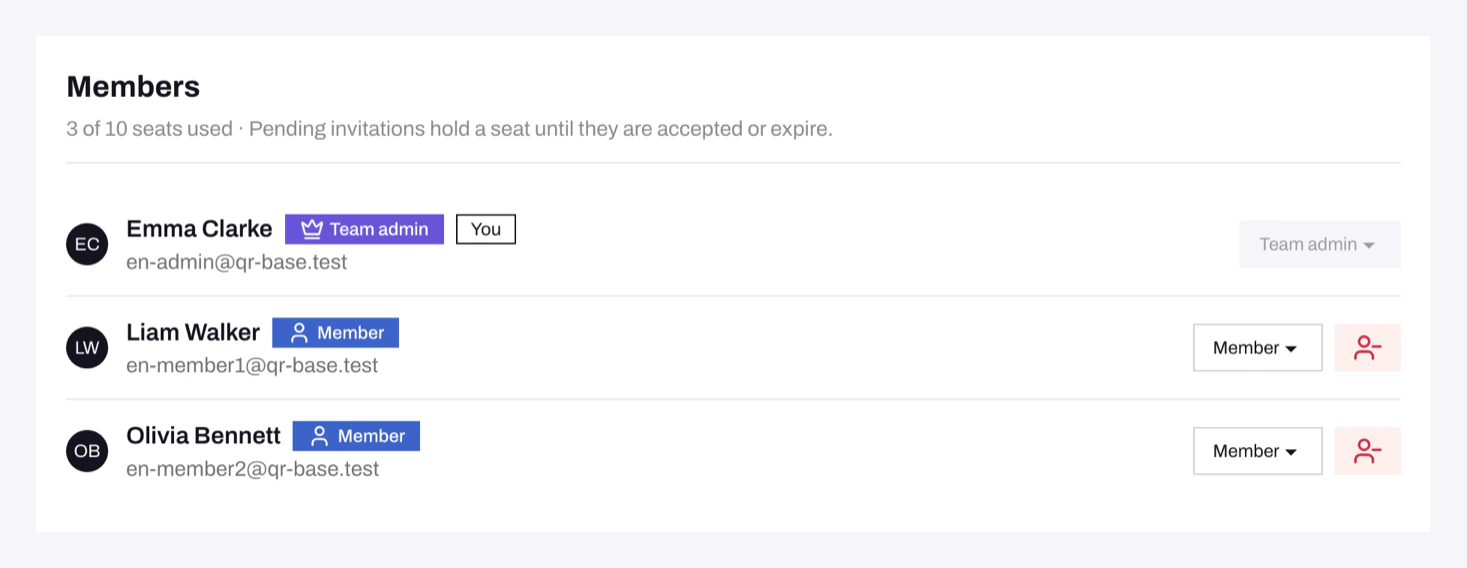
In Team settings, under Members, pick a new role next to the person's name. To take someone out of the team, click the remove icon at the end of their row.
Give at least two people the team admin role, so the team isn't stuck when one of them is away.
Delete a team
Delete team is at the bottom of Team settings. All members lose access, and every code stops working. Contact support if you need a deleted team back.
Problems
- I can't change my own role. Ask another team admin to do it.
- "A team needs at least one team admin." Make someone else team admin first.
- "You do not have access to this page." The page is for team admins, or it belongs to another team. Use Switch team if you're in several teams.
Still need help?
Email us and we will get back to you.